

Install and configure the CLI
- Install via an agent
- Manual install
Copy the prompt below to your AI agent (OpenClaw, Claude Code, Cursor, MaxClaw, AutoClaw, KimiClaw, TRAE, OpenCode, etc.). It will guide you through installing the CLI, signing in, and adding the SKILL:
Use the CLI
- Call via an agent
- Manual commands
Language
Video
Music
Speech
Image
Use minimax to write a 4-line poem about AIVideo
Generate a video: at sunset, a cat sits by the window looking into the distanceMusic
Generate an upbeat jazz song about a summer beachSpeech
Read in a gentle female voice: Welcome to MiniMax Token Plan. After subscribing, your AI agent can generate video, music, speech, and images with full multimodal capability.Image
Generate a cyberpunk city night scene in 16:9Generated files are saved in minimax-output/ under your current directory. If you’re using an agent, it’s recommended to have it display the generated media directly in its output.CLI Dashboard
Run mmx in your terminal to open the CLI panel and quickly discover the main commands, flags, and usage info.
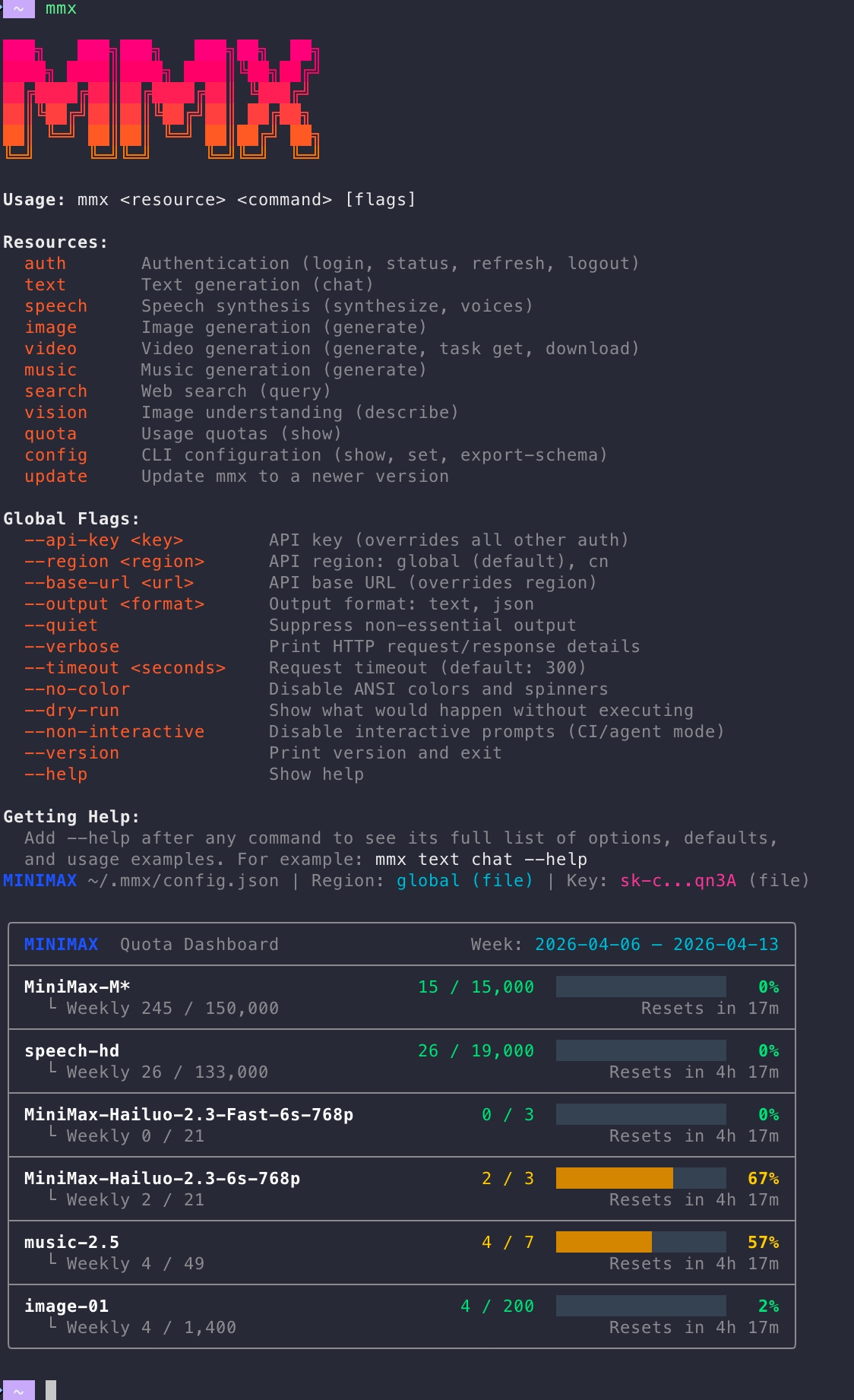
- resources: available resource types
- flags: supported options for commands
- usage: remaining quota and usage overview
- help: entry points for documentation
Capability overview
MMX-CLI provides a single command-line entry point across language, image, video, speech, music, vision understanding, and web search:More operations commands
More operations commands
Usage coverage
For Token Plan quota and usage bar behavior, see: Token Plan PricingFAQ
Where do I get an API Key?
- Overseas (default): Subscribe to Token Plan on platform.minimax.io → API Key for the overseas service
- Mainland China: Subscribe to Token Plan on platform.minimaxi.com → API Key for the mainland China service
Still getting 401 after login?
mmx auth login usually auto-detects the service region from the API Key. If you still get 401, region detection likely failed — set it manually:
mmx auth status to confirm the active region matches the platform you purchased from.